


Introduction
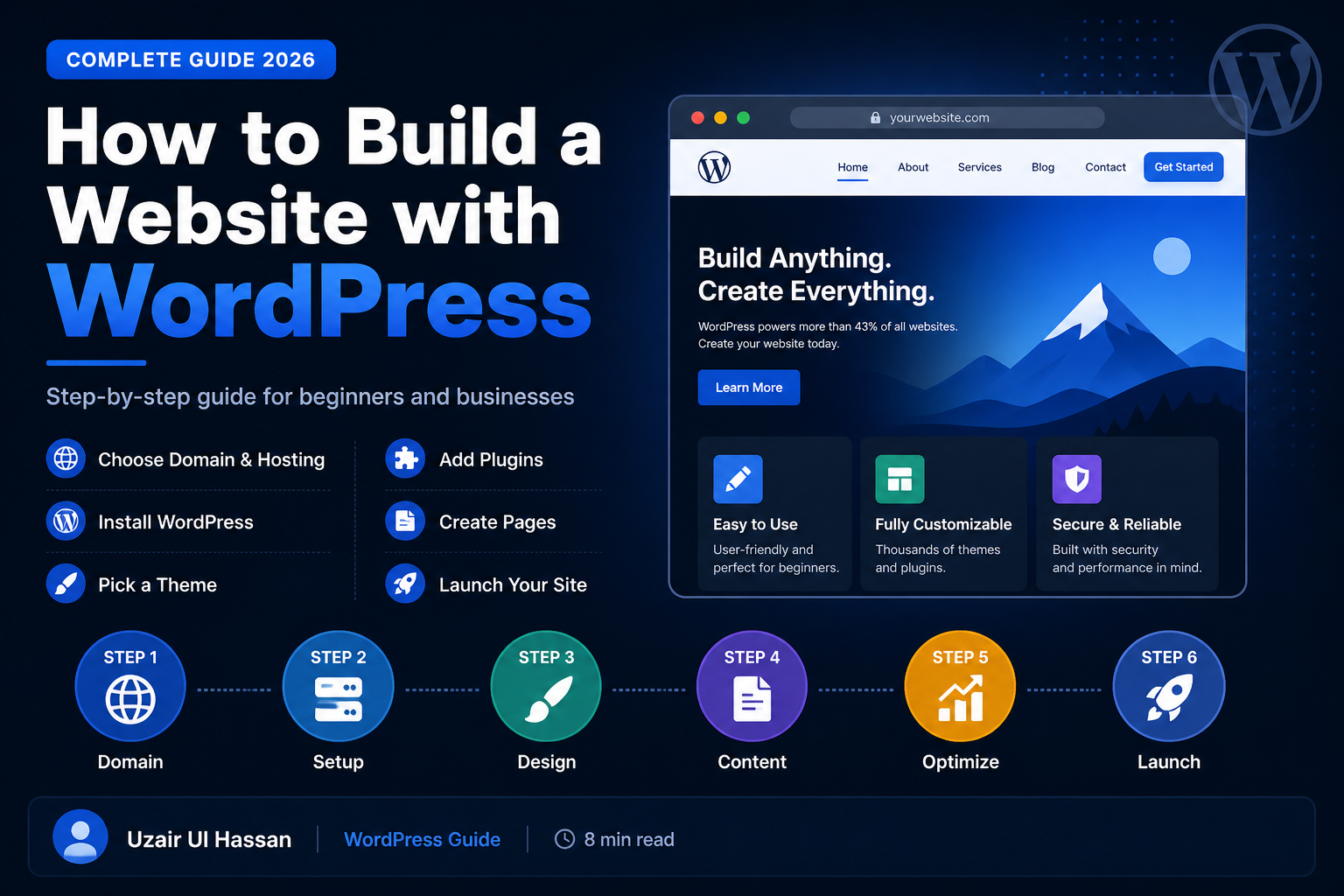
WordPress powers over 43% of all websites on the internet — and for good reason. It is flexible, beginner-friendly, SEO-optimized out of the box, and backed by a massive global community. Whether you are a business owner, blogger, or freelancer, WordPress is the smartest platform to build your website on in 2026.
- Introduction
- What You Need Before You Start
- Step 1: Choose and Register Your Domain Name
- Step 2: Get a WordPress Hosting Plan
- Step 3: Install WordPress
- Step 4: Choose and Install a Theme
- Step 5: Install Essential Plugins
- Step 6: Create Your Website Pages
- Step 7: Optimize for SEO
- Step 8: Test and Launch Your Website
- Conclusion
In this guide, I will walk you through every step — from buying a domain to launching a fully functional WordPress website — even if you have zero technical experience.
What You Need Before You Start
- A domain name (e.g., yourwebsite.com)
- A reliable web hosting plan (Hostinger, SiteGround, or Bluehost recommended)
- WordPress.org is installed on your hosting
- A cup of coffee and about 2 hours of your time ☕
Step 1: Choose and Register Your Domain Name
Your domain name is your website’s address on the internet. Choosing the right domain name is critical for both branding and SEO. Here are the best practices:
- Keep it short, memorable, and easy to spell
- Use a .com extension whenever possible
- Include your main keyword if it fits naturally (e.g., uzairulhassan.com)
- Avoid hyphens, numbers, or special characters
- Register your domain at Namecheap, GoDaddy, or directly through your hosting provider
💡 Pro Tip: If your brand name is taken, try adding words like ‘studio’, ‘agency’, or ‘digital’ at the end.
Step 2: Get a WordPress Hosting Plan
Hosting is where your website lives on the internet. For WordPress websites, I recommend the following hosting providers based on performance, price, and customer support:
| Hosting Provider | Best For | Price/Month | Rating |
| Hostinger | Beginners & Budget | $2.99 | ⭐⭐⭐⭐⭐ |
| SiteGround | Performance & Speed | $3.99 | ⭐⭐⭐⭐⭐ |
| Bluehost | WordPress Official | $2.95 | ⭐⭐⭐⭐ |
| Cloudways | Developers & Agencies | $11+ | ⭐⭐⭐⭐⭐ |
Step 3: Install WordPress
Most hosting providers offer a 1-click WordPress installation. Here is how to do it:
- Log in to your hosting control panel (cPanel)
- Find the ‘WordPress’ or ‘Softaculous’ installer
- Click ‘Install Now’ and fill in your site details
- Set your admin username and a strong password
- Click ‘Install’ — WordPress will be live in under 60 seconds!
Step 4: Choose and Install a Theme
Your WordPress theme controls the design and layout of your website. Always choose a lightweight, fast-loading theme. Here are my top recommendations:
- Astra: Ultra-fast, Elementor-compatible, 1M+ active installs
- GeneratePress: Lightweight and highly customizable
- Kadence: Modern design with great Gutenberg support
- OceanWP: Great for e-commerce and business sites
✅ Best Practice: Always install a Child Theme before making customizations — this protects your changes when the theme updates.
Step 5: Install Essential Plugins
Plugins extend the functionality of your WordPress website. Here are the must-have plugins for every WordPress site in 2026:
- Elementor: Drag-and-drop page builder — build pages visually
- Yoast SEO / Rank Math: Optimize your content for Google rankings
- WP Rocket / LiteSpeed Cache: Boost website speed and Core Web Vitals
- Wordfence Security: Protect your site from hackers and malware
- UpdraftPlus: Automated backups — never lose your data
- WooCommerce: Add an online store to your website (if needed)
- Smush / ShortPixel: Compress images automatically for faster load times
Step 6: Create Your Website Pages
Every professional website needs these core pages. Go to Pages > Add New and create the following:
- Home — First impression of your business
- About — Tell your story and build trust
- Services / Portfolio — Show what you offer
- Blog — Drive organic traffic through content
- Contact — Make it easy for clients to reach you
- Privacy Policy — Required for legal compliance
Step 7: Optimize for SEO
Building a website is only half the job — getting it found on Google is the other half. Here are the key SEO steps to follow:
- Install Rank Math or Yoast SEO plugin
- Set your Focus Keyword for every page and post
- Write a compelling Meta Title and Meta Description
- Use H1, H2, H3 headings properly throughout your content
- Add Alt Text to every image you upload
- Submit your sitemap to Google Search Console
- Connect Google Analytics to track your traffic
Step 8: Test and Launch Your Website
Before you go live, run through this pre-launch checklist to make sure everything works perfectly:
- Test your website on mobile, tablet, and desktop
- Check all links — make sure none are broken
- Test your contact form — ensure emails are received
- Run a Google PageSpeed Insights test — aim for 90+ score
- Check spelling and grammar on all pages
- Set up an SSL certificate (HTTPS) — hosting usually provides it for free
- Remove ‘Coming Soon’ or maintenance mode
- Submit to Google Search Console and request indexing
Conclusion
Building a website with WordPress in 2026 has never been easier. With the right hosting, theme, and plugins, you can have a professional, fast, and SEO-optimized website live in just a few hours. The key is to follow each step carefully and not rush the process.
If you need professional help building your WordPress website, feel free to reach out. I specialize in WordPress development, Elementor design, and front-end development — and I would love to help bring your vision to life.
About the Author
Uzair Ul Hassan is a WordPress Developer and Front-End Specialist at 724.ONE, based in Lahore, Pakistan. He specializes in Elementor, SquareUp, HTML, CSS, JavaScript, and SEO-optimized website development.
🌐 Website: uzairulhassan.com
📧 Email: uzairulhassan.dev@gmail.com
📞 Phone: +92 342 0947547
Tags: #WordPress #WebDevelopment #WordPressTips #Elementor #SEO #WebDesign #BuildWebsite #WordPressBeginner #WebDeveloper #724ONE
